Hello EOS world,
We are kicking off 2026 with another major product milestone at Success.co. The Process feature is officially live.
This release is especially important because Process was the final missing EOS® component inside Success.co. With it now complete, Success.co is the most EOS Pure, fully featured software available to help teams run EOS® in one place.
TL;DR: Try the Process demo: https://www.success.co/demo?start=process
Why Process Matters
The Process component of EOS® is about documenting how your company does its most important work and simplifying those steps so everyone follows the same proven way. Clear processes create consistency, reduce friction, and remove guesswork from daily execution. When processes are truly followed by all, teams move faster and scale with far less effort.
Built for Simplicity and Adoption
When we first started building this feature, our initial prototype was too complex.
As we looked at it, we came back to a simple belief. Simple software that everyone uses is far better than complex software that only a few people touch.
So we started over.
We listened to the Process! book again and again. We reviewed everything written about how the Process component of EOS® is intended to work. What became clear was the need for a feature that any company could adopt quickly, while still ensuring real accountability and value from the work teams put into defining their processes.
Thumbs Up from the Experts
Once we had a working version, we shared it with Mike Paton and Lisa González, who literally wrote the book on process.
We were a little nervous showing it to them, but after a few small suggestions we got their enthusiastic thumbs up. That validation meant a lot to our team.
Below is a short tour of the Process feature in Success.co. You will see that we kept it very easy to use, while still including the power needed to make processes stick.
Process Feature Tour
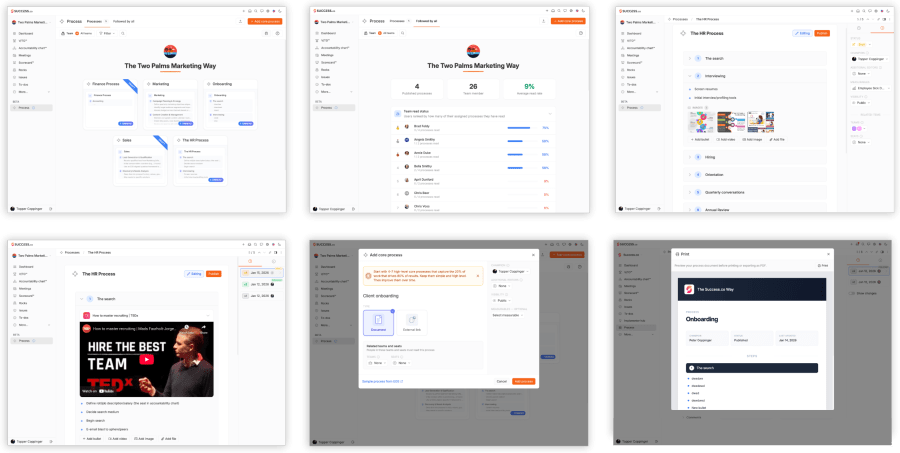
Process Home

- Visual layout showing all processes at a glance
- Easily edit the title (default is “The [Company] Way”)
- See unread processes instantly
- Filter by title, team, seat, status, champion, or unread
- Print the entire book of processes with a cover page and table of contents
- Print filtered process books such as Marketing processes
- Built-in help panel with links to the book, videos, and tips
Followed by All
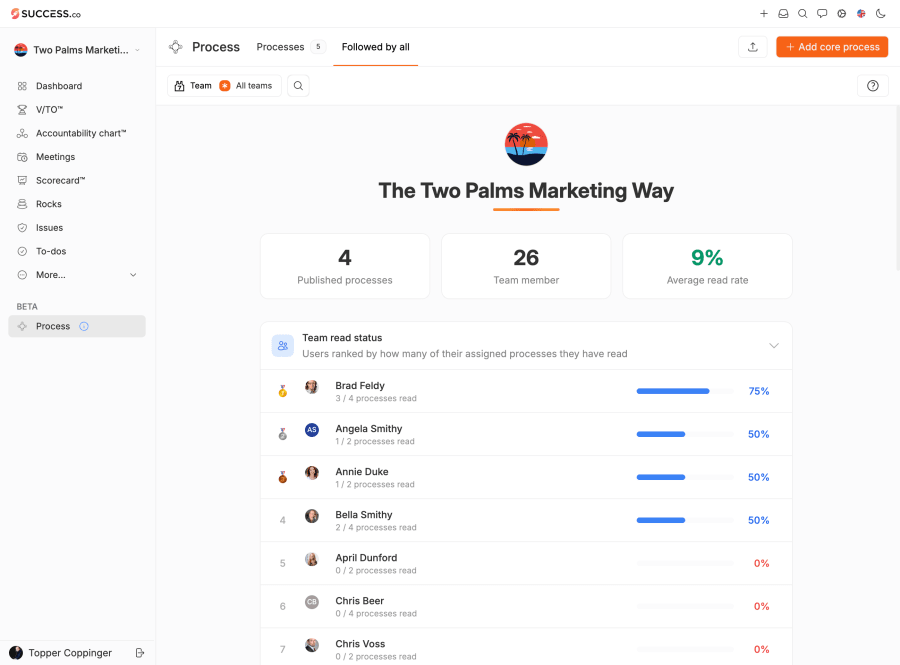
- Overall adoption stats
- Team read status
- Most read processes
- Filters by team and individual
Add Process Dialog

- Clear layout showing who must read the process
- Support for external links with preview and embed options
- Ability to set champion, visibility, and related measurables
- Additional editors so team members can contribute
Process Details Page

- Mark as read tracking
- Print-friendly visual layout
- Version history with the ability to show changes
- Expand or collapse all steps
- Embedded videos
- Image gallery with full screen view
- Info side panel to manage status, champion, editors, measurables, visibility, teams, and seats
- Navigate between processes using up and down arrows
- Copy URL, open or close the details panel, and comment directly
Process Editing
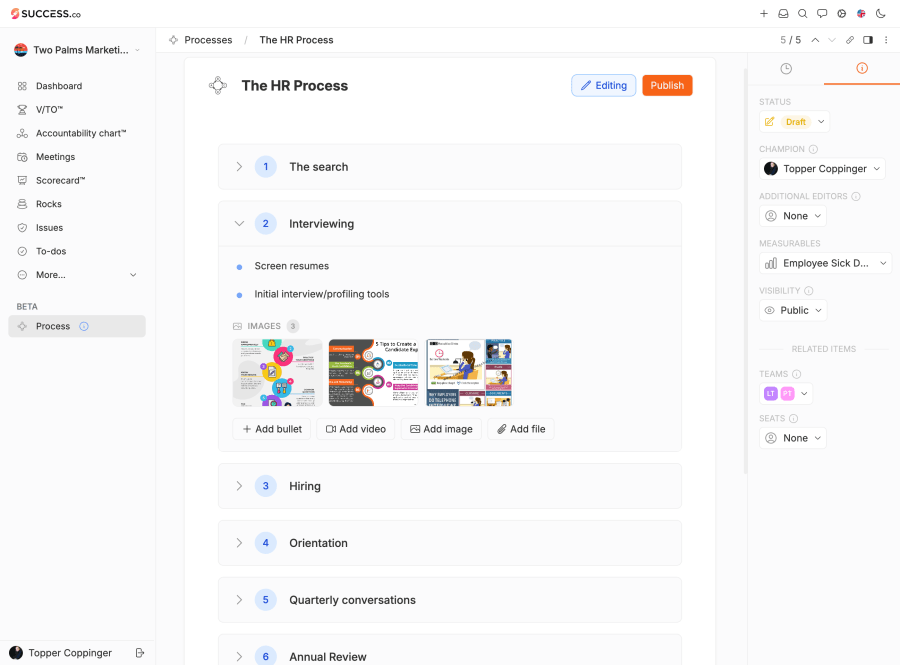
- Simple version control with options to edit the current version or create a new one
- Steps support bullets, videos, images, and files
- Drag and drop steps or bullets to reorder
Printing
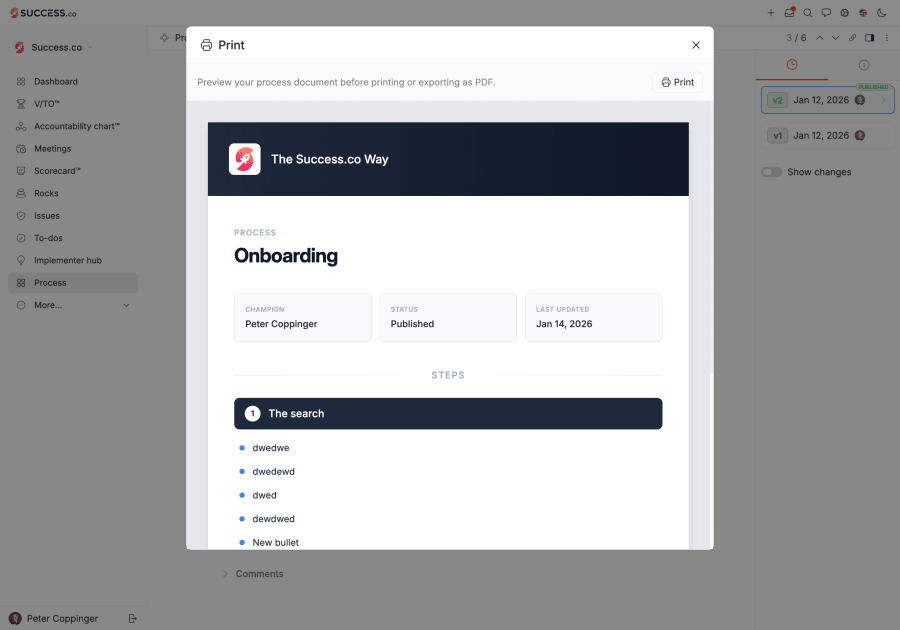
- Cover page and table of contents
- Visual layout including champion, status, and last updated date
Extras
Going the extra mile is one of our values, so we added several extras as well.
- Make a copy of any process
- Export and import processes
- Built-in AI integration
AI Integration

All Process features are available through our AI connectors to ChatGPT and Claude.
This allows you to ask AI to draft a process, simplify an existing one, or suggest improvements. It is surprisingly fun and genuinely useful. If you have not set up the AI connector yet, check out the how-to guide.
Conclusion
We want all teams to have access to the complete EOS® toolset, so the Process feature is now live on all Success.co accounts at no additional cost.
You can find it in the main navigation More menu. Jump in, explore, and send us your feedback. We will continue improving it.
We are incredibly proud of how this turned out and cannot wait for you to try it. We hope this helps many teams significantly improve their process discipline in 2026. We strongly recommend reading the Process! book before you dive in.
Thank you for helping us scale so quickly and for continuing to spread the word. There truly is a better way to run EOS®.
P.S. For Teams Using External Tools Like Playbook Builder
We love the team at Playbook Builder, and they offer some advanced features that we do not plan to build into Success.co. Our focus is on simplicity.
If you need more advanced functionality, Playbook Builder may be a better fit. In that case, we recommend keeping your detailed process documentation there and maintaining one public process in Success.co that simply links out to Playbook Builder.